
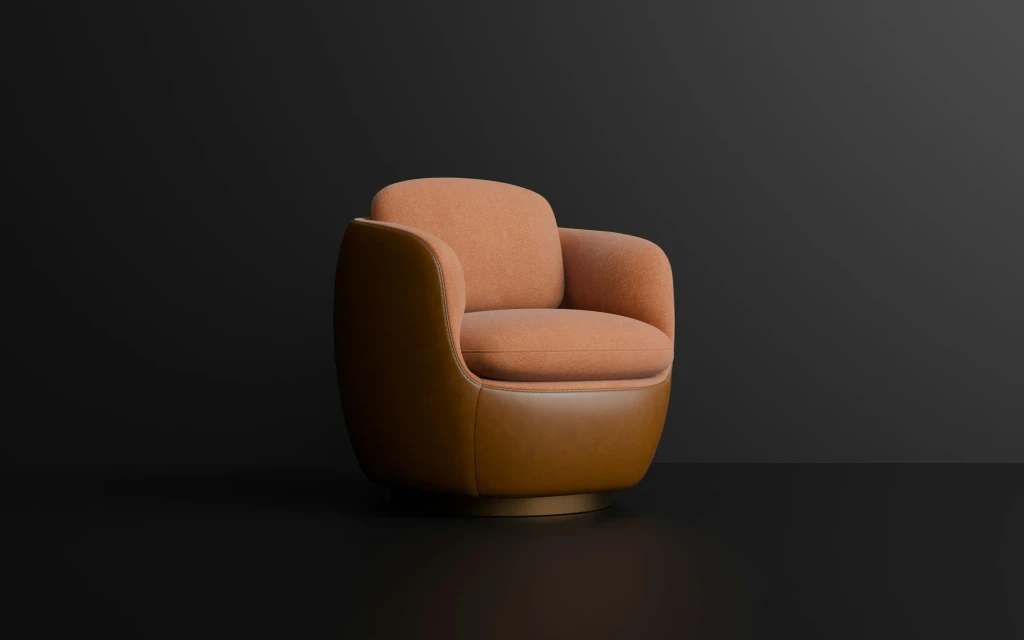
What a 3D configurator does
A 3D product configurator lets a customer assemble their own version of a product on screen and see it from any angle as they choose: the frame colour, the fabric, the number of modules, the handle, the engraving. Behind the picture, it applies the rules that say which options go together, calculates a price and produces something the business can act on, such as a quote request, a basket item or a specification for production.
It is an expensive piece of software to build well and to keep current. The question is never whether it would look impressive. It would. The question is whether it solves a problem that costs you sales or time today.
The three conditions for a good fit
- 01
There are too many combinations to show
If a product comes in four colours, four photographs do the job. When materials, sizes, modules and accessories multiply into hundreds or thousands of valid combinations, photographing or rendering each one becomes impossible, and a configurator generates them on demand.
- 02
The choices are visual
The customer's decision must depend on how the result looks or fits: a sofa in a room, a kitchen layout, a bicycle build, a machine guard around equipment. Options that do not change the appearance, such as warranty length or software licences, gain nothing from 3D.
- 03
The output is usable
A finished configuration has to become a correct price and an order your systems accept. If staff must re-enter and check every configuration by hand, the tool has moved the work without removing it.
All three should hold. Two out of three usually points to a simpler tool.
How different products fit
| Kind of product | Typical fit | Why |
|---|---|---|
| Modular furniture, kitchens, wardrobes, shelving | Strong | Many combinations, appearance and dimensions decide the sale |
| Vehicles, bicycles, boats, trailers | Strong | Customers expect to build and see their own |
| Doors, windows, fencing, garden buildings | Strong | Made to order, with size and style rules |
| Industrial equipment with optional modules | Good, for sales teams and dealers | Shortens the quoting cycle and reduces specification errors |
| Jewellery, watches, footwear, eyewear | Good, where personalization is offered | Material and colour combinations, with a high need for visual quality |
| Products with a handful of colours | Weak | Photographs or a colour switch on images are enough |
| Commodities chosen on specification | Weak | The decision is made on data, not appearance |
| Fully custom, engineered-to-order work | Limited | Too open for fixed rules. A guided enquiry form serves better |
Consider the simpler alternatives first
| Tool | What it gives | Fits when |
|---|---|---|
| Good photography and variant images | Real appearance for each main option | Options are few and can each be shot or rendered |
| Spin view from images | The product turned through a sequence of photographs | One or a few versions, where seeing all sides matters |
| 3D viewer without configuration | One model the customer can rotate and zoom, perhaps place in a room through the phone camera | The product is fixed and shape or scale is the selling point |
| 2D configurator | Options chosen from lists, with layered images updating | Many combinations, viewed from one or two fixed angles |
| Guided selector or quote form | Questions that lead to the right product or a tailored quote | Choices are technical, not visual |
| 3D configurator | Free viewing of any valid combination, with rules and price | The three conditions above all hold |
Our comparison of a 3D product viewer and a product configurator goes further into the difference between the two 3D options. Starting with a viewer or a 2D configurator, and moving up when the limits are felt, is a legitimate path.
What drives the cost
- The 3D models. Every part and option needs a model prepared for the web, with materials that look right. Engineering files are a starting point and need considerable reworking. This is often the largest single item.
- The number of options and their rules. Each option adds models, materials and combinations to test. Rules about what fits with what must be collected, written and verified.
- Visual quality expected. A machine guard can look schematic. A sofa fabric or a jewellery finish must look convincing, which demands more from materials and lighting.
- Pricing. A fixed price per option is simple. Prices that depend on dimensions, combinations, customer or region need a connection to wherever prices are calculated.
- What happens with the result. A request for a quote by email is cheap. A basket item, a bill of materials for production or an order in the ERP each add integration work.
- Devices. Running smoothly on mid-range phones takes more optimization than running on a showroom screen.
- Upkeep. New products, discontinued options and price changes must reach the configurator. Without a way for your team to do that, every change is a development task.
A sensible first release covers one product line with its most popular options. It proves the value and the process for producing models before the whole catalogue is committed.
A worked example
A garden room manufacturer decides
This example is invented to show the conditions being tested. A manufacturer of garden rooms takes orders through site visits and wonders whether a 3D configurator would bring in better enquiries.
- CombinationsFive sizes, three roof types, four claddings, door and window positions on any wall, and a dozen extras. No two orders in the past year were identical.
- VisualCustomers choose on appearance and on how the room sits in their garden. Sales staff currently sketch layouts by hand during visits.
- OutputPrices follow written rules by size and option. Structural limits, such as how wide an opening may be on each wall, exist only in the head of the production manager.
- AlternativesA 2D configurator with fixed views is considered. It cannot show door and window positions on all four walls convincingly, which is the choice customers spend longest on.
- DecisionProceed with a first release for the two best-selling sizes, on condition that the structural rules are written down and signed off before development starts. Output is a priced enquiry with a saved design that the salesperson opens before the visit.
Writing down the structural rules took a month and was the most valuable part of the preparation. Enquiries now arrive with a design attached, and site visits start from the customer's own layout.
What must be ready before you build
- 01
Are the product rules written down?
Why it mattersWhich options exist, which combinations are valid, which choices force or exclude others. If they live in people's heads, extract them first.
- 02
Is the product structure stable?
Why it mattersA range that changes every few months will keep the configurator permanently behind.
- 03
Do 3D or engineering files exist?
Why it mattersTheir existence and quality set much of the budget. No files means modelling from drawings or photographs.
- 04
How is a price calculated today?
Why it mattersA rule that a system can follow, or judgement by a salesperson?
- 05
Who will maintain it?
Why it mattersA named person for products and options, and a way for them to make changes.
- 06
How will success be judged?
Why it mattersFor example enquiries with a complete specification, fewer order errors or time saved in quoting. Choose the measure and record its current value.
Our guides on 3D configurator requirements and product rules and preparing 3D product assets for a website cover the two largest preparations.
Decision checklist
3D configurator decision checklist
0 of 11 checkedWhat to do next
Count the valid combinations of your best-selling configurable product, and ask your sales team how often an order arrives with a specification that later turns out to be wrong or impossible. Those two numbers frame the case in an afternoon.
Our 3D product configurator development page shows how we build these tools. Tell us what you sell and how customers choose, and we will say honestly whether a configurator, or something simpler, fits.
Common questions
Does a 3D configurator increase sales?
It can, where the three conditions hold: customers gain confidence from seeing their own version, sales staff spend less time on specification, and orders contain fewer errors. Results vary by product and audience, and published figures rarely transfer between businesses. Define your own measure before building, record its current value and compare afterwards.
How much does a 3D product configurator cost?
It depends mainly on how many parts and options need 3D models, how complex the rules and pricing are, the visual quality required and how the result connects to your systems. A single product line with simple rules is a far smaller project than a full catalogue with ERP integration. A scoped first release gives a reliable figure.
Can a configurator run on phones?
Yes, with deliberate optimization: light models, compressed textures, careful loading and a fallback for older devices. If a large share of your customers browse on phones, make that a stated requirement and test on mid-range devices throughout, since a configurator built on a powerful desktop can be unusable on an ordinary phone.
Do we need a 3D configurator or just a 3D viewer?
A viewer shows one fixed product in 3D. A configurator lets the customer change it and applies rules and prices. If your product has few variations and the goal is to show shape, detail or scale, a viewer is simpler and cheaper. If customers must choose between many combinations, a configurator is the tool.
How long does it take to build one?
The timeline is driven less by the viewer than by preparation: collecting product rules, producing and optimizing models, and agreeing how prices and orders are handled. Companies with clean rules and good source files move quickly. Those that must first document their products should plan for that work before development begins.